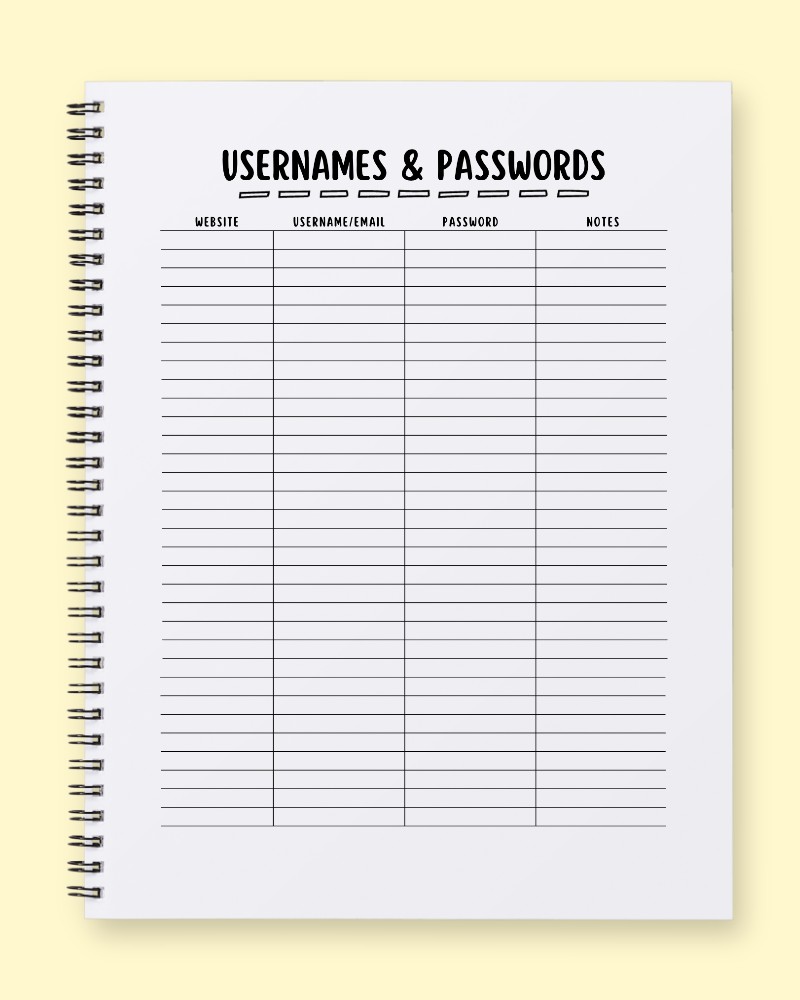
Welcome to the ultimate solution for taming your digital chaos: a physical "Usernames & Passwords" tracker designed to bring peace of mind and robust security to your online life. In an era where remembering countless unique login details has become a daily challenge, this journal page template offers a tangible, straightforward approach to managing your digital footprint. Forget the frustration of forgotten passwords and the panic of locked accounts. This meticulously designed layout isn't just a place to jot down information; it's a tool for digital well-being, strategic organization, and proactive security. Let's explore how this simple yet powerful planner can transform your online experience.
The Psychological Benefits of Tangible Password Tracking
In a world increasingly dominated by digital solutions, the act of physically writing down your login information in a dedicated tracker like this offers profound psychological advantages. Firstly, it significantly reduces cognitive load. Instead of juggling dozens of unique passwords in your head or relying solely on potentially hackable digital password managers, you offload that mental burden to a secure, physical space. This frees up mental energy, leading to less stress and enhanced mental clarity in your daily life.
Secondly, this physical journal fosters a powerful sense of control and security. For many, a tangible backup feels inherently safer than purely cloud-based solutions. Holding this notebook, knowing your vital access points are neatly organized and accessible, provides a unique form of reassurance. It diminishes the anxiety associated with potential cyber threats or data loss, giving you a comforting feeling of mastery over your digital assets. This commitment to physical organization also implicitly encourages better digital hygiene, as the act of recording prompts you to use stronger, unique passwords rather than recycling weak ones. It transforms a daunting task into a manageable habit, promoting digital well-being one entry at a time. The simple visual structure of the "Website," "Username/Email," "Password," and "Notes" columns intrinsically makes the task feel less overwhelming, breaking down a complex problem into actionable, organized segments.
A Step-by-Step Guide to Filling Out Your Digital Key Keeper
To maximize the effectiveness of this Usernames & Passwords tracker, a systematic approach is key.
- Start with the 'Website' Column: Begin by listing the official website or service name. For instance, instead of just "Amazon," you might write "amazon.com" or "Amazon Shopping" for clarity. Consistency here is crucial for quick reference. Aim to fill one entry per line, ensuring ample space for each record.
- Move to 'Username/Email': In this column, clearly note whether you use a specific username, your email address, or both to log in. Be explicit: "john.doe@email.com" or "JDoe_username." If you have multiple accounts for the same website (e.g., personal and work), ensure each gets its own line.
- Enter Your 'Password': This is the heart of the tracker. Write down your password accurately. Emphasize using strong, unique passwords for every entry. Consider using a system if your passwords are very complex – perhaps only writing down the first few characters and a memorable hint in the 'Notes' column, if that offers you an extra layer of comfort (though writing the full password makes retrieval simplest). Remember, the security of this physical journal is paramount. Store it in a safe, confidential location.
- Utilize the 'Notes' Column: This column is your secret weapon for additional context. Use it for:
- Security Question Answers: Briefly jot down hints or the actual answers to common security questions.
- Last Updated Date: Record when you last changed the password.
- Two-Factor Authentication (2FA) Notes: Indicate if 2FA is enabled and what method you use (e.g., "SMS," "Authenticator App").
- Associated Email: If the username isn't an email, note the primary email linked to the account.
- Hints: For complex passwords, a personal hint that only you would understand.
- Status: "Active," "Inactive," "To Be Deleted."
Fill out entries as you create new accounts or update existing ones. Regularly review your entries, perhaps quarterly, to ensure all information is current and accurate.
Three Daily Prompts for Enhanced Digital Security
Pairing this login tracker with reflective prompts can solidify your digital security habits and promote ongoing organization.
- Security Review Prompt: "Choose three random entries from your 'Usernames & Passwords' tracker today. For each, verify the login details are still correct and consider if the password is still strong and unique. If not, make a plan to update at least one of them and record the new details here." This encourages proactive password management and regular security checks.
- Digital Declutter Prompt: "Review your 'Website' column. Can you identify any online accounts you haven't used or needed in the past six months? If so, consider whether to deactivate them to reduce your digital footprint and note your decision in the 'Notes' column, or mark them for future deletion." This prompt helps streamline your online presence and reduce potential attack vectors.
- New Account Integration Prompt: "Did you create any new online accounts or sign up for any new services yesterday or today? If so, immediately add their 'Website,' 'Username/Email,' 'Password,' and any relevant 'Notes' to a new line in your tracker. Make this a non-negotiable step for every new digital interaction." This prompt fosters a consistent habit of immediate recording, preventing future forgetfulness and ensuring your tracker remains comprehensive.
By integrating this physical "Usernames & Passwords" journal into your routine, you're not just organizing data; you're building a foundation for a more secure, less stressful digital life. It’s an essential tool for anyone seeking greater control and peace of mind in their online world.